> ## Documentation Index
> Fetch the complete documentation index at: https://moengage-partner-guide.mintlify.site/llms.txt
> Use this file to discover all available pages before exploring further.
# Certona
# Introduction
The [Certona](https://monetate.com/) platform drives personalization across the customer lifecycle. From highly individualized email campaigns to machine-learning-powered product recommendations, Certona ensures that you’re harnessing the power of personalization.
# MoEngage × Certona
The MoEngage and Certona integration leverages Certona’s machine learning product recommendations in MoEngage campaigns via Content APIs.
# Integration
**Prerequisites**
* Ensure that you have a Certona account.
* Ensure that you have access to the Certona REST API endpoint. This endpoint is used directly in your MoEngage Content APIs to pull recommended content based on user ID.
We will use Certona’s REST API to insert personalized content into your campaigns. This can be done by adding the following Certona Rest API endpoint in MoEngage Content APIs.
### Step 1: Add content API on MoEngage
Log in to the MoEngage Dashboard and follow these steps:
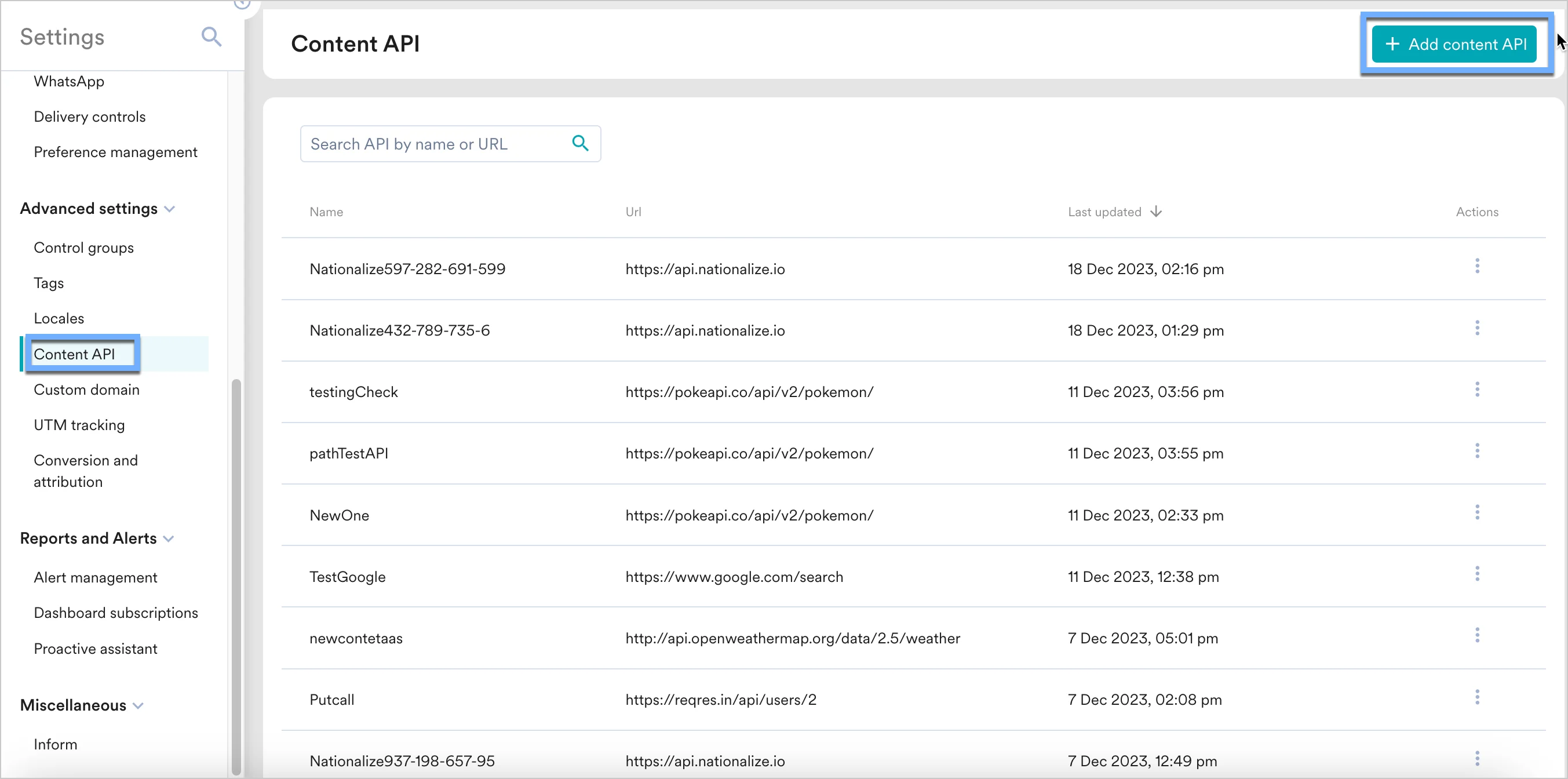
1. Navigate to **Settings** -> **Advanced settings** -> **Content API**. Click **+ Add content API** at the top right corner of the Content API screen.
 2. Add your Certona API to the endpoint URL.
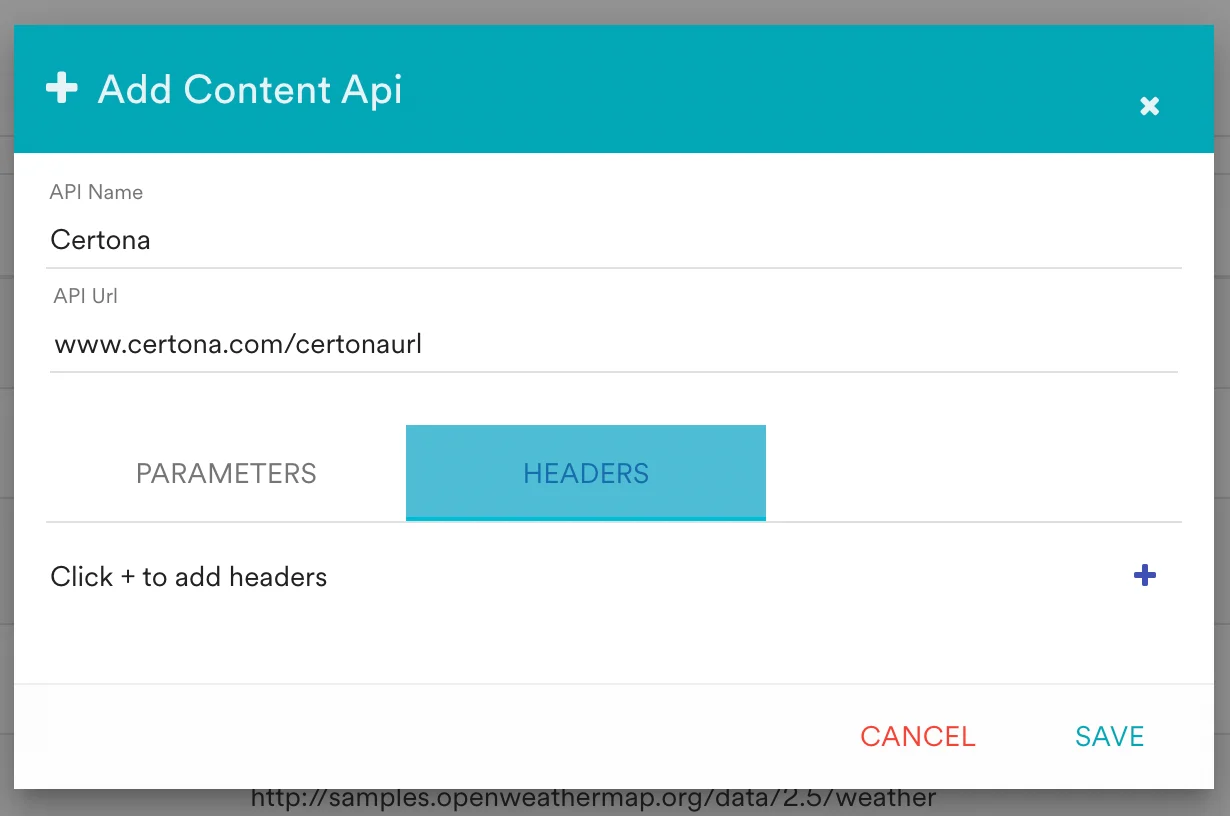 You can also test your APIs by clicking on the Test button. You can your API response and validate it.
### Step 2: Using content APIs in MoEngage campaigns
You can now use these content APIs in your campaigns. [Read here](https://www.moengage.com/docs/user-guide/campaigns-and-channels/getting-started/campaign-content/content-apis) to know more about Content APIs
1. On step 2 on your campaign creation, enter @.
2. In the pop up, you can select the Certona Content API configured in Step 2.
3. You can use [MoEngage Templating Language](https://www.moengage.com/docs/user-guide/campaigns-and-channels/getting-started/message-personalization/jinja-templating-language) to parse through the API response and use the content in your campaigns.
You can also test your APIs by clicking on the Test button. You can your API response and validate it.
### Step 2: Using content APIs in MoEngage campaigns
You can now use these content APIs in your campaigns. [Read here](https://www.moengage.com/docs/user-guide/campaigns-and-channels/getting-started/campaign-content/content-apis) to know more about Content APIs
1. On step 2 on your campaign creation, enter @.
2. In the pop up, you can select the Certona Content API configured in Step 2.
3. You can use [MoEngage Templating Language](https://www.moengage.com/docs/user-guide/campaigns-and-channels/getting-started/message-personalization/jinja-templating-language) to parse through the API response and use the content in your campaigns.
 You can click on the Preview tab to view your campaign in real-time personalisation.