

Introduction
Infillion helps you sharpen your marketing relevance using location data. Its location SDK, paired with geofencing software and beacons, powers personalized, proximity-aware mobile experiences.MoEngage and Infillion
Combine your beacon and geofence support with MoEngage’s targeting and campaigns to learn more about your users’ physical actions and message them accordingly.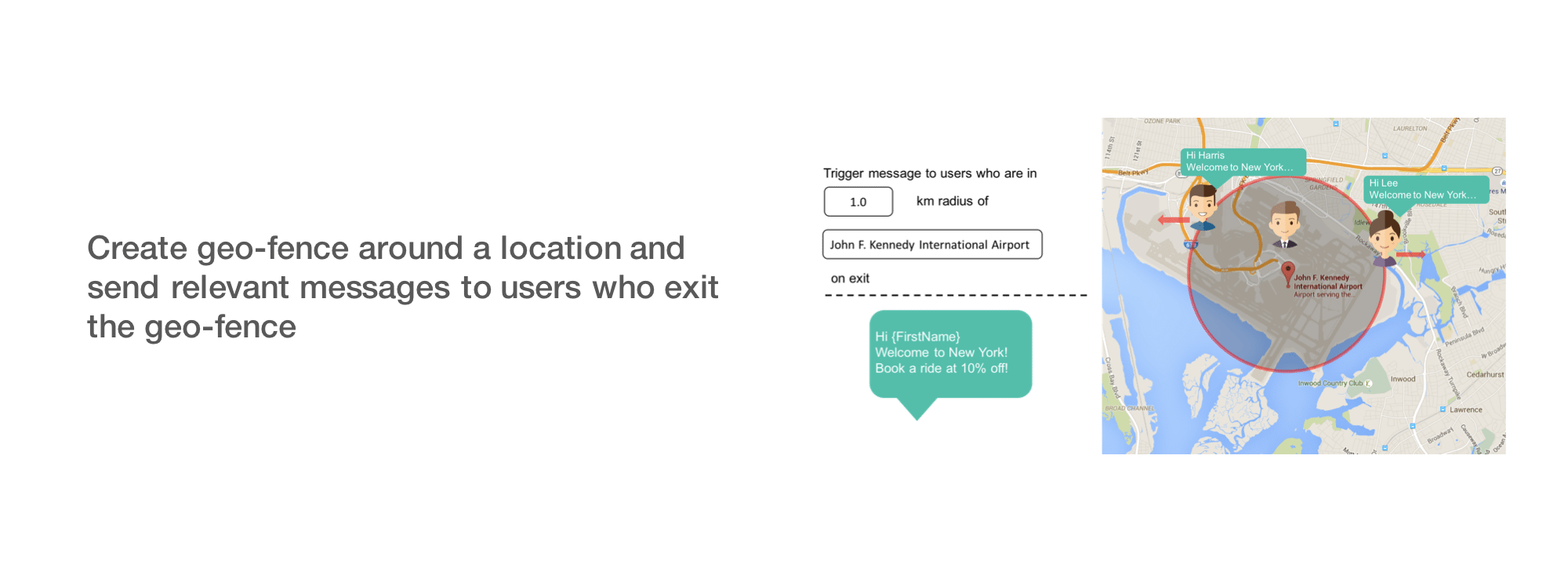 The integration unlocks use cases for:
- Marketing: Send contextually relevant messages and build experiential consumer journeys.
- Competitive analysis: Set up triggers around competitor locations to understand consumer trends and patterns.
- Audience insights: Understand your users’ visitation behavior and segment further based on those learnings.
Integration
Prerequisites
- An Infillion manager account is required to use this integration.
- The Infillion Location SDK powers macro and micro location-based mobile experiences using proximity beacons and geofences. You must have the SDK implemented and your geofences (or beacons) set up.
SDK setup
To integrate MoEngage and Infillion, implement the Infillion Location SDK and create an Infillion manager account. The following integrations for Android, FireOS, and iOS create a unique custom event for each new place a user enters. You can then use these events for triggering and retargeting in your campaigns and flows.- Integrate the Infillion SDK for Android and iOS into your app by following the Infillion documentation.
- Use Infillion’s places REST API to fetch user places.
- Link your Infillion account to MoEngage by entering the MoEngage workspace ID and API key.
- Set up custom events in the MoEngage SDK. You can integrate Infillion with MoEngage on Android, FireOS, and iOS.
- Log properties for these events (for example,
Place Name,Dwell Time). - Use these properties and events to trigger campaigns and flows in MoEngage.