

Introduction
Oriserve is an end-to-end provider of conversational AI-powered chatbots, with the sole intention of helping enterprises make the customer experience count. Oriserve is focused on automating the customer journey which it does through its connected, multilingual, omnichannel, self-service platform, made by applying design thinking principles and AI.Use-cases
A. Fin-tech (Transactional) - A user made a payment and you want to send a WhatsApp message to the user about the payment with the following options -- View payment status
- View invoice
- Make a new payment
- Play Now
- Add to Watchlist
- Show more
- Open App
- View course details
- View pre-reads
- Share course
- Join class
MoEngage × Oriserve
The MoEngage and Oriserve integration allows you to seamlessly orchestrate the end-to-end customer lifecycle from bot builder, routed into a conversational experience via intelligent retargeting.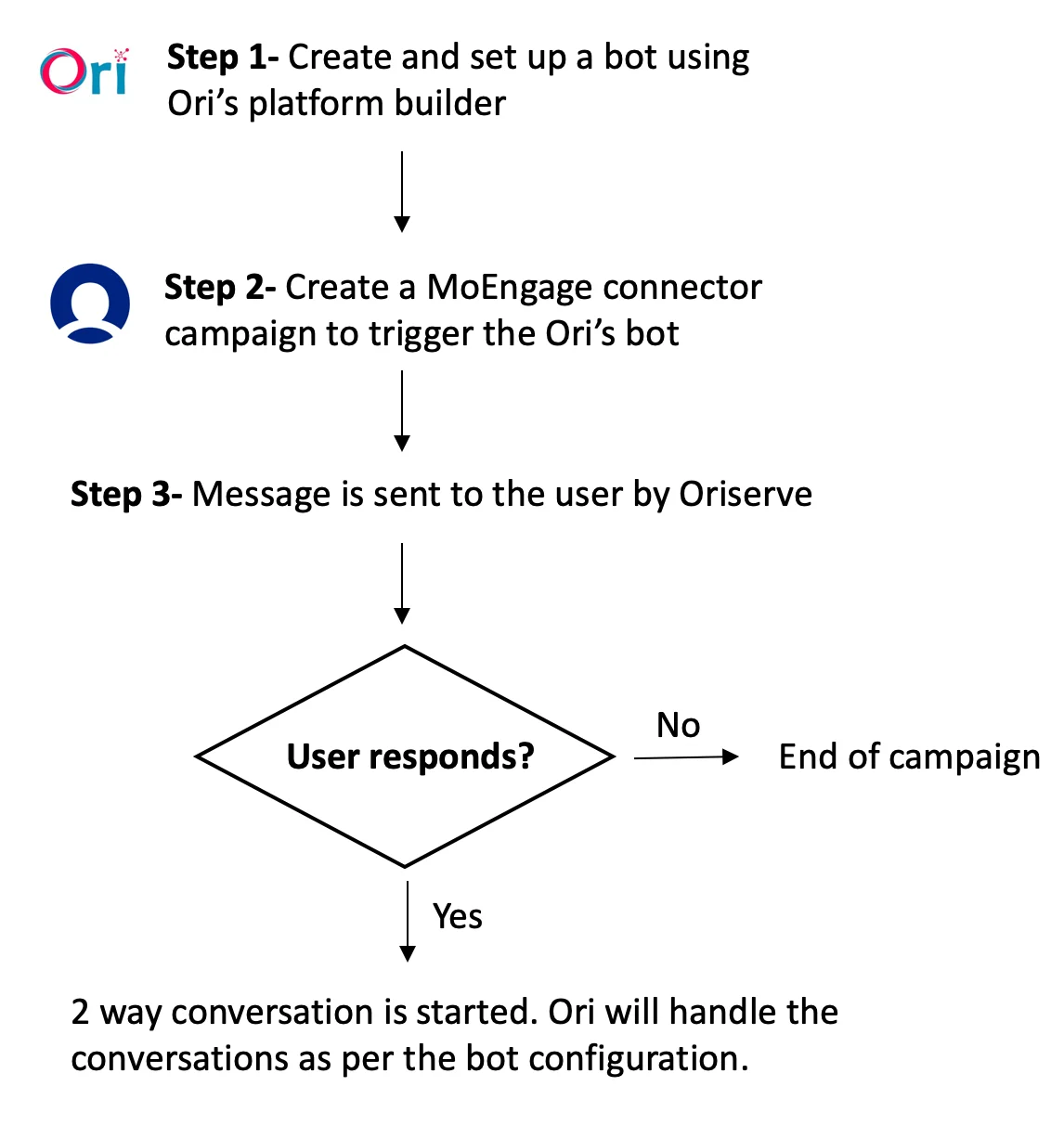
Integration
- Ensure you have a Oriserve account.
- Ensure you have access to your Oriserve authorisation token.
Step 1: Set up a bot experience on Oriserve
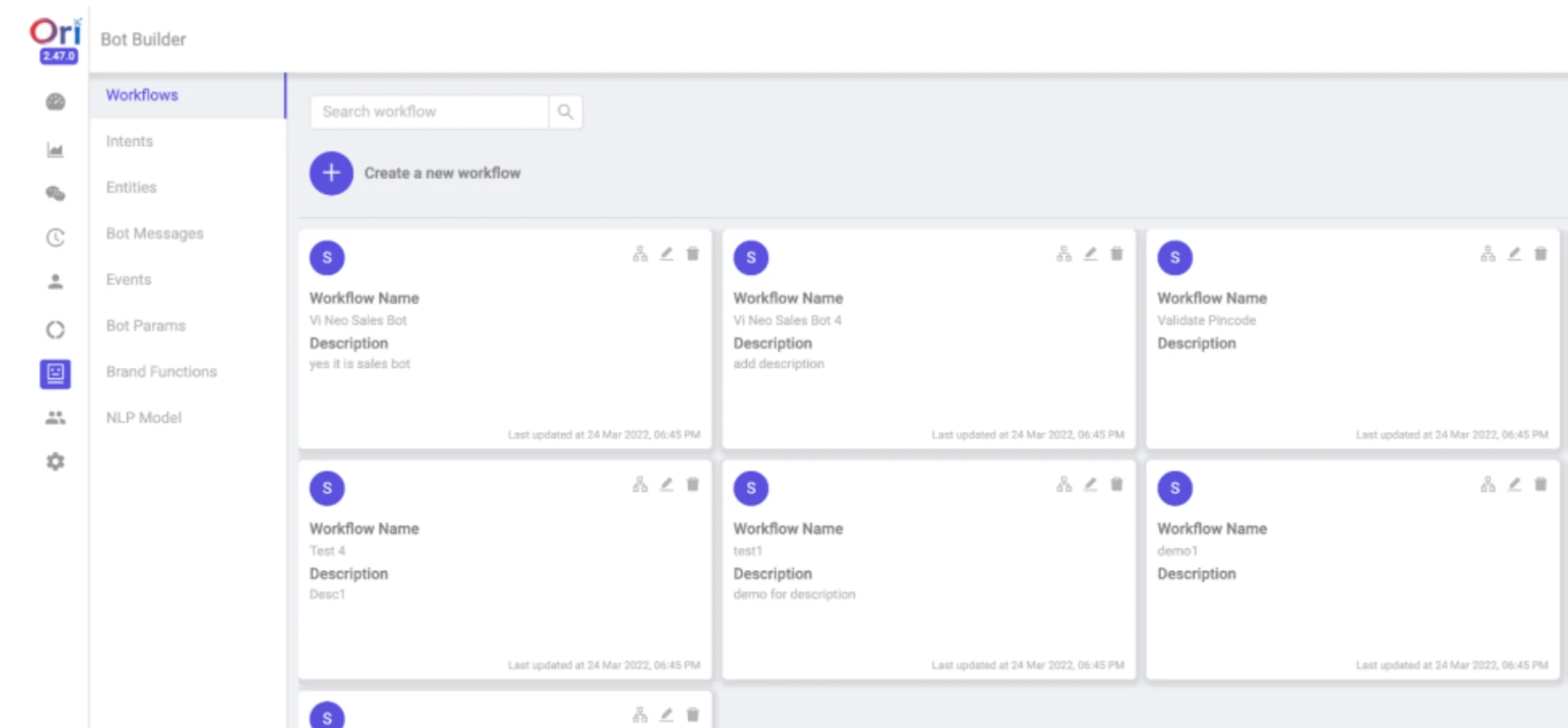
- Navigate to Bot Builder section on your dashboard and create a workflow.
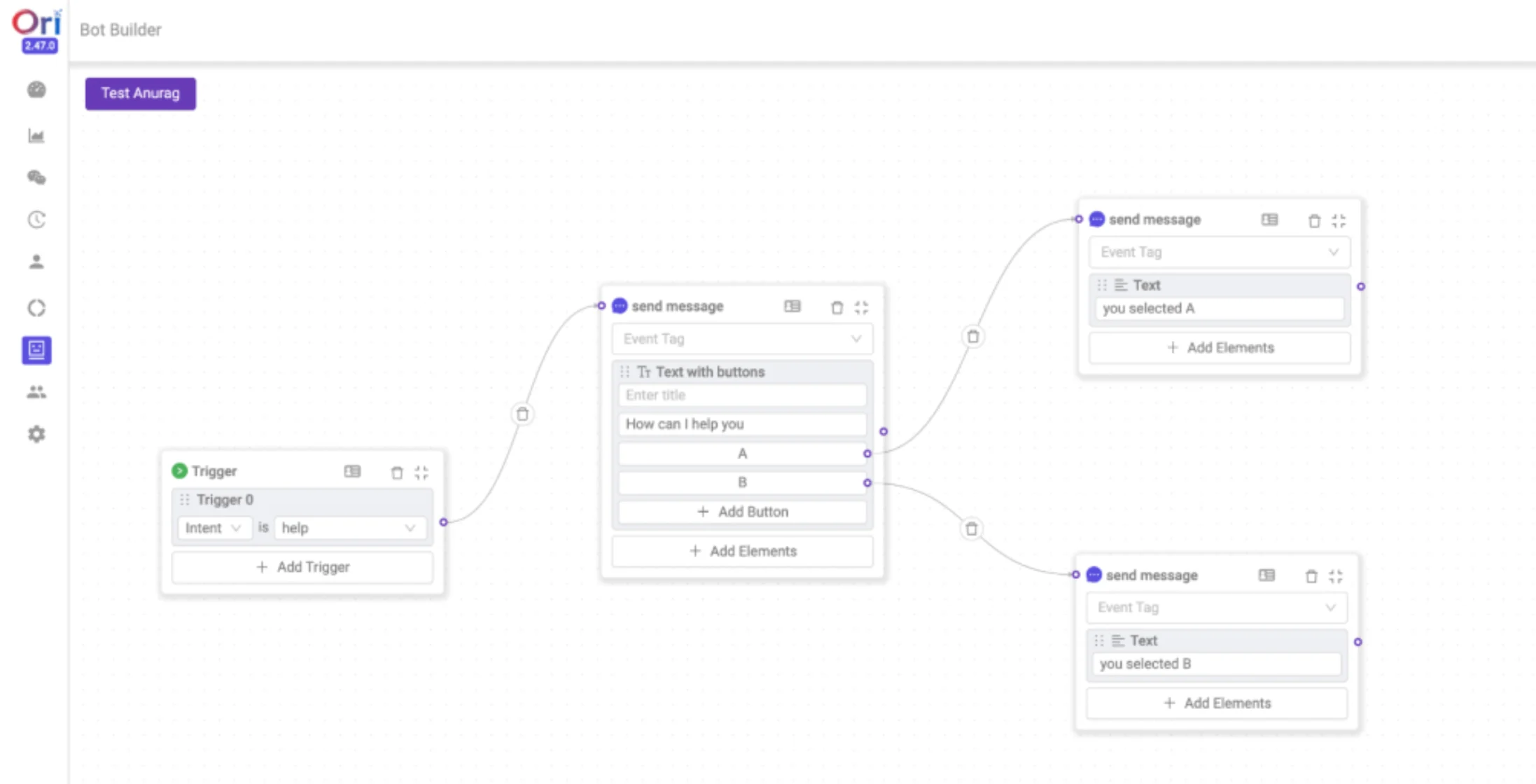
- Setup Flows as per your business use-cases. Flows are the building blocks to handle user conversations.
Step 2: Create a connector campaign on MoEngage
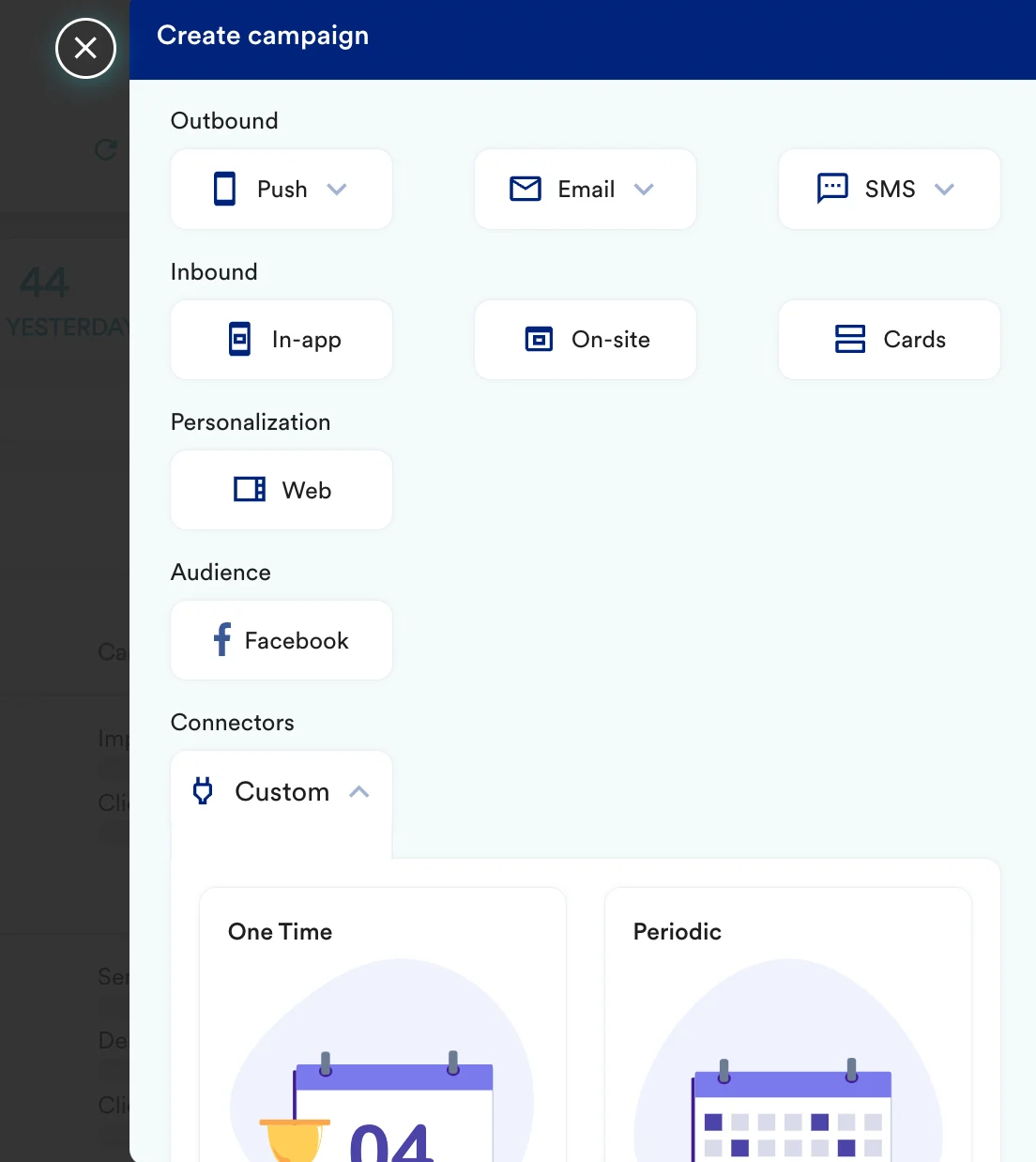
To create a connector campaign on MoEngage,- Navigate to Create Campaign >> Connectors >> Custom and choose delivery type most suitable to your needs
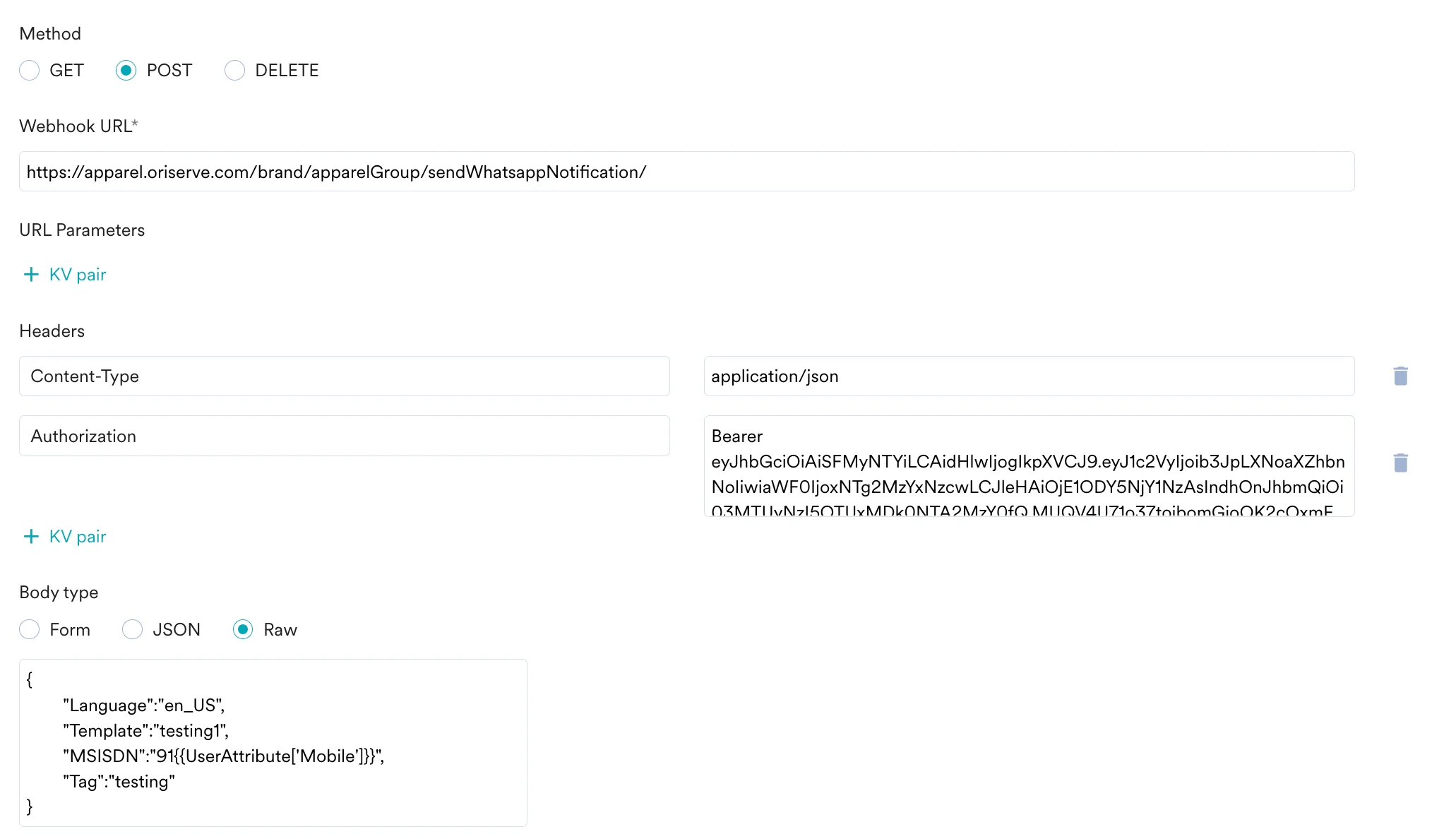
- On step 2 of the campaign
- Select method as POST
- Add Webhook URL as : https://apparel.oriserve.com/brand/apparelGroup/sendWhatsappNotification/
- In Headers, add
- Content-Type as application/json
- Authorization as your <Oriserve authorisation key>
- In Body, choose Raw and copy paste the code from your Ori’s bot.
- At this point, your campaign should be ready to test and send. You can also test your connector configuration using the Test functionality available on Step 2 of Create Connector Campaign.
