

Installing SDK
MoEngage can be integrated via Twilio Segment with Swift Package Manager only, as segment only supports installation via SPM.Install using Swift Package Manager
To integrate use the following GitHub URL link and set the branch as master or version as 1.0.0 and above https://github.com/moengage/MoEngage- Twilio Segment-SwiftSetup Twilio Segment SDK
Now head to the AppDelegate, and setup the Twilio Segment SDK :analytics.add(plugin: ...) to add an instance of the plugin to the Analytics timeline.
Setup MoEngage
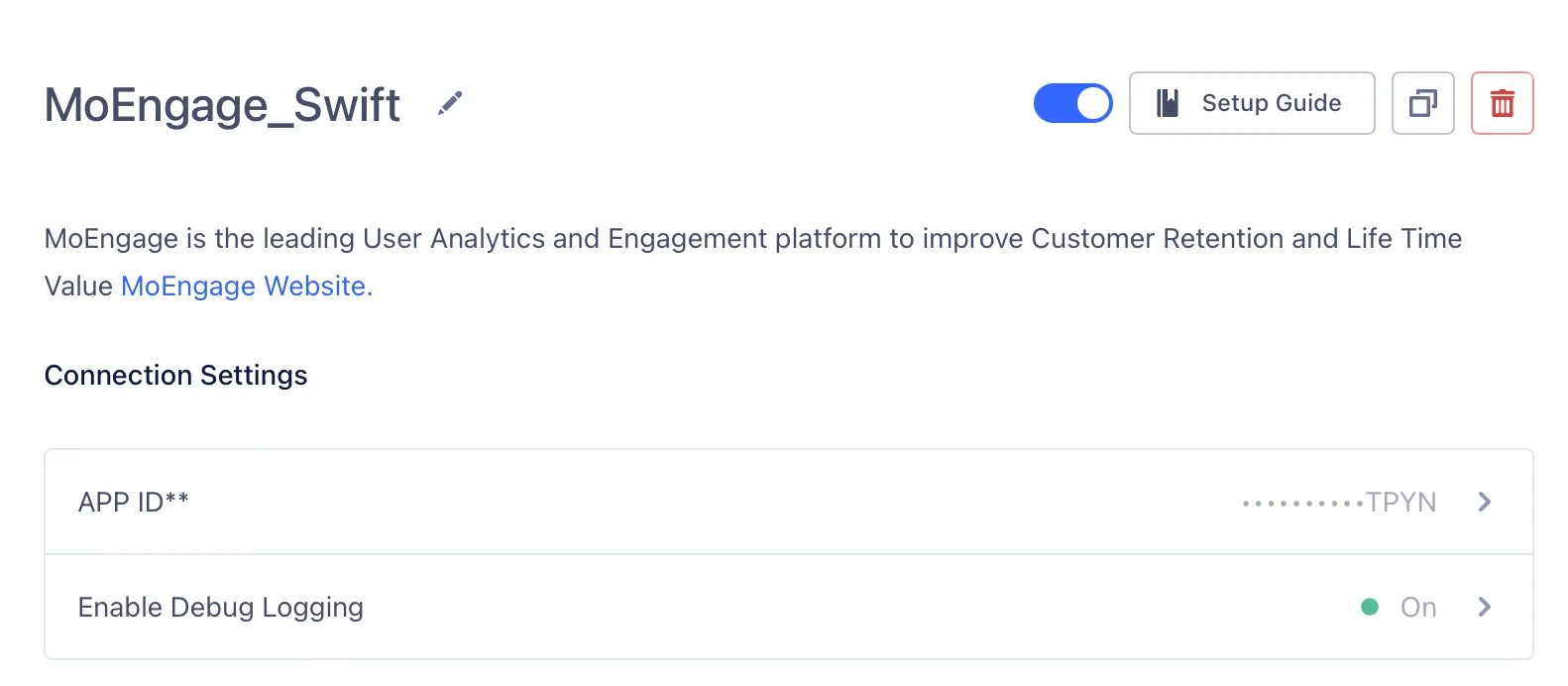
To setup MoEngage, do the following :- Navigate to MoEngage Dashboard > Settings > General.
- Copy the Workspace ID (earlier App ID).
- Go to Twilio Segment dashboard , go to Destinations and select MoEngage Integration.
- Enable MoEngage Integration.
- Update the APP ID with the Workspace ID obtained in step 1.
- Save the changes.
Tracking User Attribute
User attributes are specific traits of a user, like email, username, mobile, gender, etc. identify let you tie a user to their actions and record traits about them. It includes a unique User ID and any optional traits you know about them.Tracking Events
Event tracking is used to track user behavior in an app. track lets you record the actions your users perform. Every action triggers i.e, “event”, which can also have associated attributes.Reset User
The reset method clears the SDK’s internal stores for the current user. This is useful for apps where users can log in and out with different identities over time.Push Notifications
Push Notifications are a great way to keep your users engaged and informed about your app. You have the following options while implementing push notifications in your app:MoEngage Push Implementation
This will be the preferred way of implementation since Twilio Segment SDK currently doesn’t support the UserNotifications framework which was introduced by Apple in iOS10. Follow this link to implement Push Notification in your mobile app using MoEngage SDK: Push NotificationsTwilio Segment Push Implementation
- Follow the directions to register for push using Twilio Segment SDK in this link.
- In your application’s application:didReceiveRemoteNotification: method, add the following:
- If you integrated the application:didReceiveRemoteNotification:fetchCompletionHandler: in your app, add the following to that method:
- If you implemented handleActionWithIdentifier:forRemoteNotification: , add the following to that method:
Install / Update Differentiation :
Since you might integrate us when your app is already on the App Store, we would need to know whether your app update would be an actual UPDATE or an INSTALL. To differentiate between those, use one of the methods below:InApp Native
In-App Messaging is custom views that you can send to a Twilio segment of users to show custom messages or give new offers or take to some specific pages. Follow the link to know more about inApp Messaging and how to implement it in your application: InApp NATIVFor more info on using Twilio Segment for iOS refer to Developer Docs provided by Twilio Segment.