

Introduction
Trackier provides advertisers with an easy-to-use performance marketing platform to create, optimize, and track their marketing campaigns in real time.MoEngage × Trackier
The MoEngage and Trackier integration allows you to import paid install attribution data from Trackier into MoEngage to use intelligently within your campaigns.Integration
Prerequisites
- Ensure you have an active Trackier account.
- Ensure you have access to the Settings section on your MoEngage dashboard.
Step 1: Get the MoEngage attribution tracking app key
Perform the following steps to get the MoEngage attribution key:- Navigate to Settings > Analytics > Acquisition tracking in the MoEngage Dashboard.
- Turn on Acquisition Tracking, and select Trackier from the dropdown. This generates an App Key.
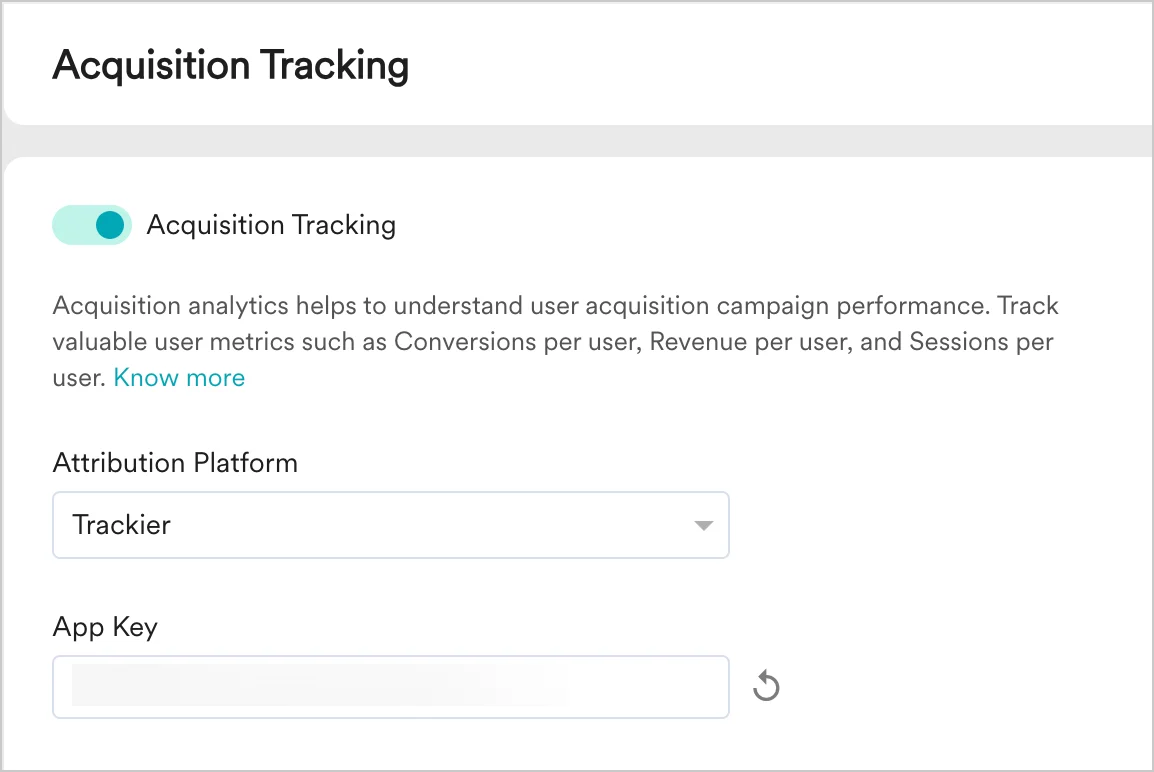
- Click Save.
- Copy the App Key. You will need it to configure MoEngage on Trackier.
How to use the acquisition data in MoEngage
After MoEngage starts receiving data from Trackier, you can leverage this data in the following ways.User attributes
MoEngage tracks two user attributes: Campaign Name and Publisher Name. You can use these attributes in your campaigns, segmentation, and analytics. The Publisher Name and Campaign Name of install give you added insight into the persona of the user. You can leverage this data to enhance your onboarding campaigns and user funnels, and to personalize your marketing automation activities on MoEngage. The next sections list a few popular use cases for leveraging this data.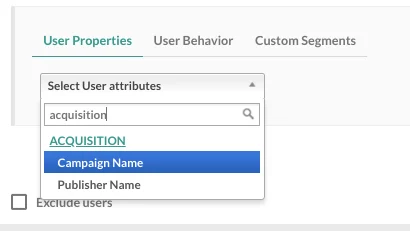
Analyze the performance of different publishers
Trackier Integration can help analyze the effectiveness of your app install campaigns and sources in MoEngage. With the help of the data you are already tracking in MoEngage, like user events, conversion goals, and uninstalls, you can compare the performance of different app install campaigns you are running and also analyze the relative performance of installs from different publishers to optimize your marketing spends. To analyze this data, view the MoEngage acquisition dashboard.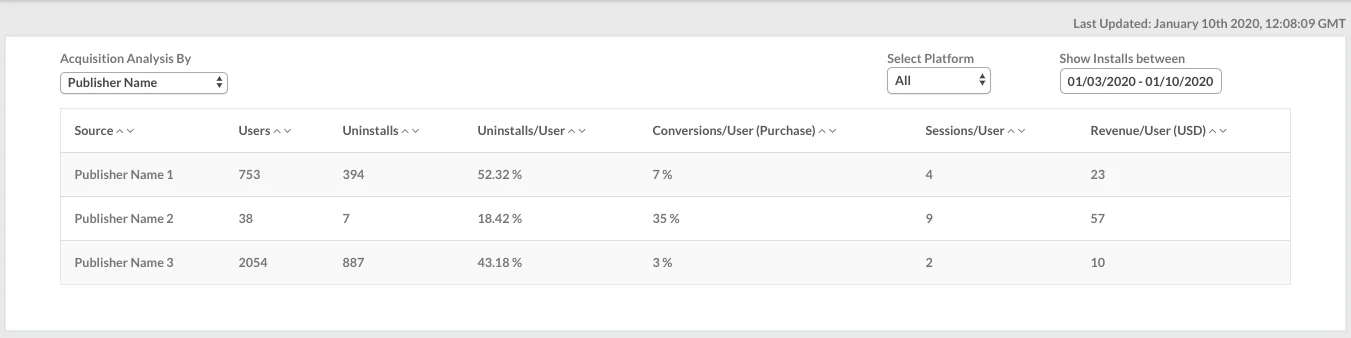
Analyze the performance of different campaigns
After the integration is enabled, you can also view your acquisition data analysis on the acquisition dashboard by navigating to Analyze > Acquisitions in the dashboard sidebar.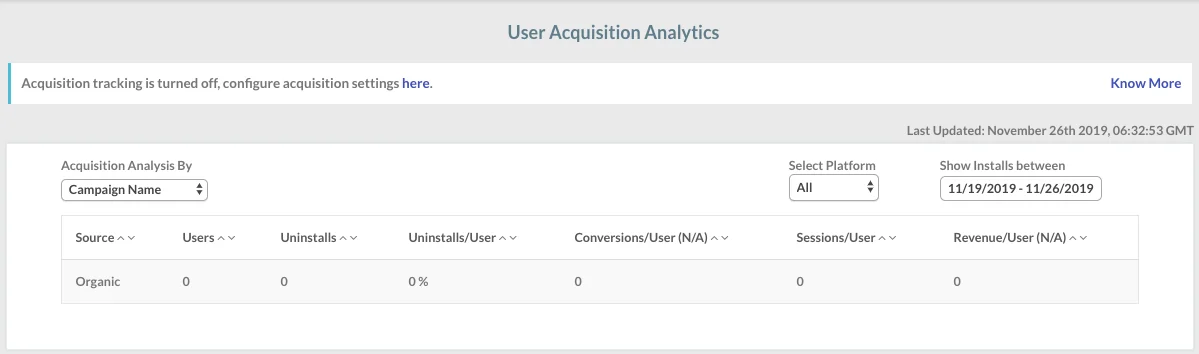
Enhanced onboarding campaigns
You can use the Publisher Name and Campaign Name of install—available as user properties in MoEngage—to create segments and personalize the push notifications, in-app messages, emails, and SMS that you send through MoEngage. Install attribution data gives you an insight into how users could progress in their lifecycle right when they install the app. This is a very useful piece of information and can help you enhance the performance of your onboarding campaigns by improving retention, reducing the time to first conversion, and driving a higher LTV per user.Frequently Asked Questions
Can I see the install data from Facebook in MoEngage?
Can I see the install data from Facebook in MoEngage?
According to Facebook data sharing policies, install data from Facebook can only be viewed in Trackier and not sent to other platforms. These appear as Organic Installs in MoEngage. You can alternatively use the MoEngage APIs to send Facebook install data to MoEngage separately.