

Introduction
Contentful is a headless content management system that lets you create, manage, and distribute content to any platform. Unlike a content management system (CMS), Contentful allows you to create your content model so you can decide which content you want to manage.MoEngage × Contentful
MoEngage × Contentful integration allow you to deliver your Contentful content across multiple channels, such as websites, mobile apps (iOS, Android, and Windows), or many other platforms. You can also dynamically pull content from Contentful via MoEngage content APIs in campaigns.Integration
Prerequisites
- Ensure you have access to your Contentful account with Content Delivery API Campaign capability
Step 1: Get Contentful API credentials
On your Contentful account,- Navigate to Settings > API keys. If you don’t already have an API key, create a new one.
- Create or retrieve API access tokens.
- Select Add API key.
- Enter the required details and select the appropriate environment.
- Select Save and copy the Space ID and Content Delivery API - access token.
- Identify the content model you want to access through the Contentful API.
Step 2: Setup content API on MoEngage
To create a content API campaign on MoEngage,- Navigate to Settings >> Advanced Settings >> Content APIs
- Click Add Content API.
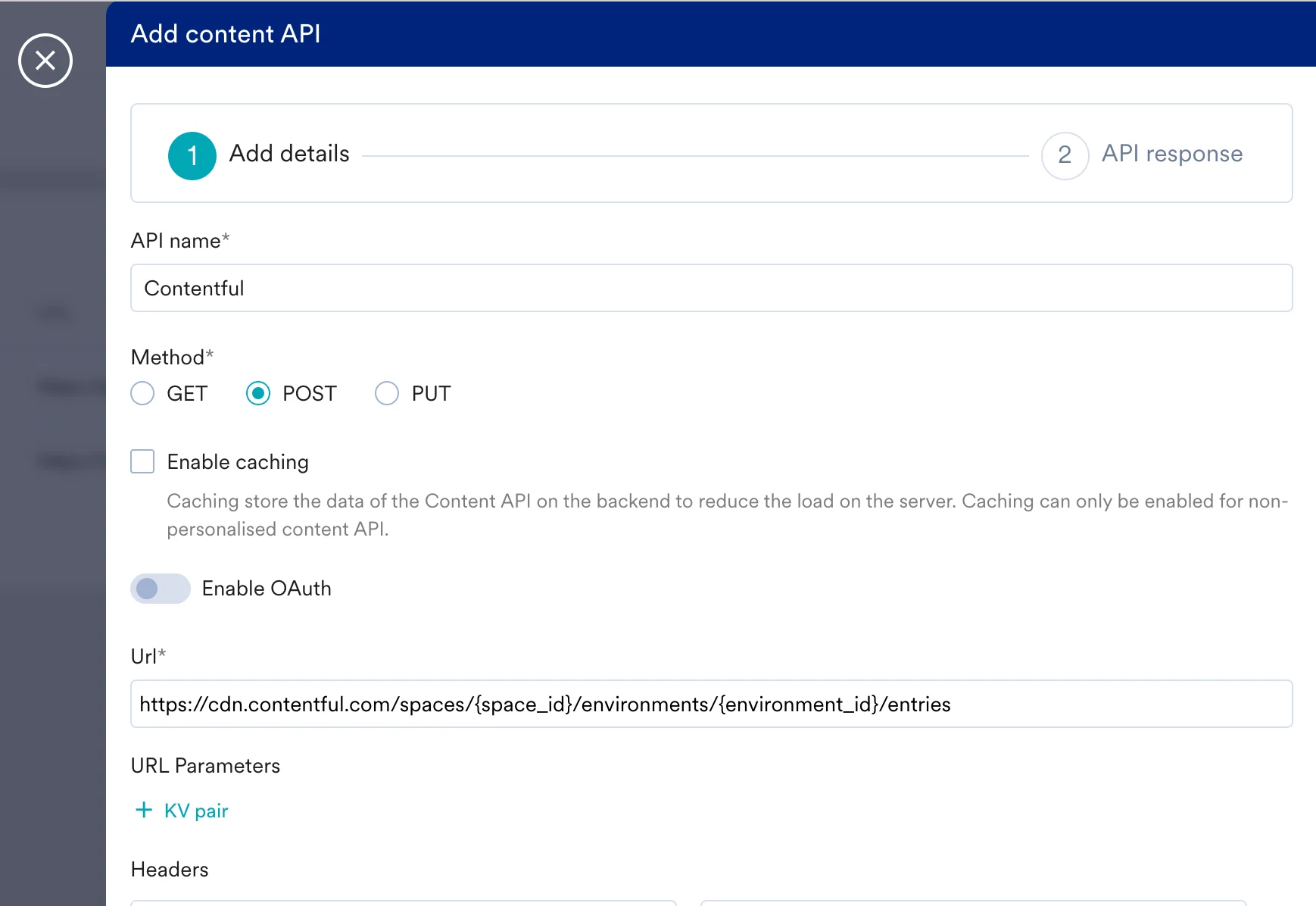
- Fill in the details
Note:
- The example Content Delivery API URL uses only one of Contentful’s available endpoints.
- Different use cases may be achieved by leveraging different URLs. For example, the Image API can be used to capture images stored in Contentful. For more information, refer to Content Delivery API.
- Click test and Save.